
Canva ProSuite represents a major shift in digital publishing and graphic production by unifying professional-grade desktop software into a cohesive, connected ecosystem. The platform integrates Affinity, Cavalry, Flourish, and Leonardo.AI, introducing more than 100 new features across image editing, vector design, desktop publishing, motion graphics, and generative AI. Duncan Clark, CEO of Pro Design at Canva, outlined the core philosophy driving the release: providing advanced tools that automate tedious production tasks while maintaining the precision and craft required by professional creators. While core applications like Affinity and Cavalry remain free to download and use on macOS and Windows, Canva offers centralized team management and advanced cloud features through Canva Pro ($144 per year or $18 per month) and Canva Business ($250 per year). To help creative teams and independent professionals assess the software, we evaluated the seven best Canva ProSuite features based on workflow speed, cross-application interoperability, and overall cost efficiency.
1. Unified Affinity 3.3 Suite (Pixel, Vector, and Layout Integration)
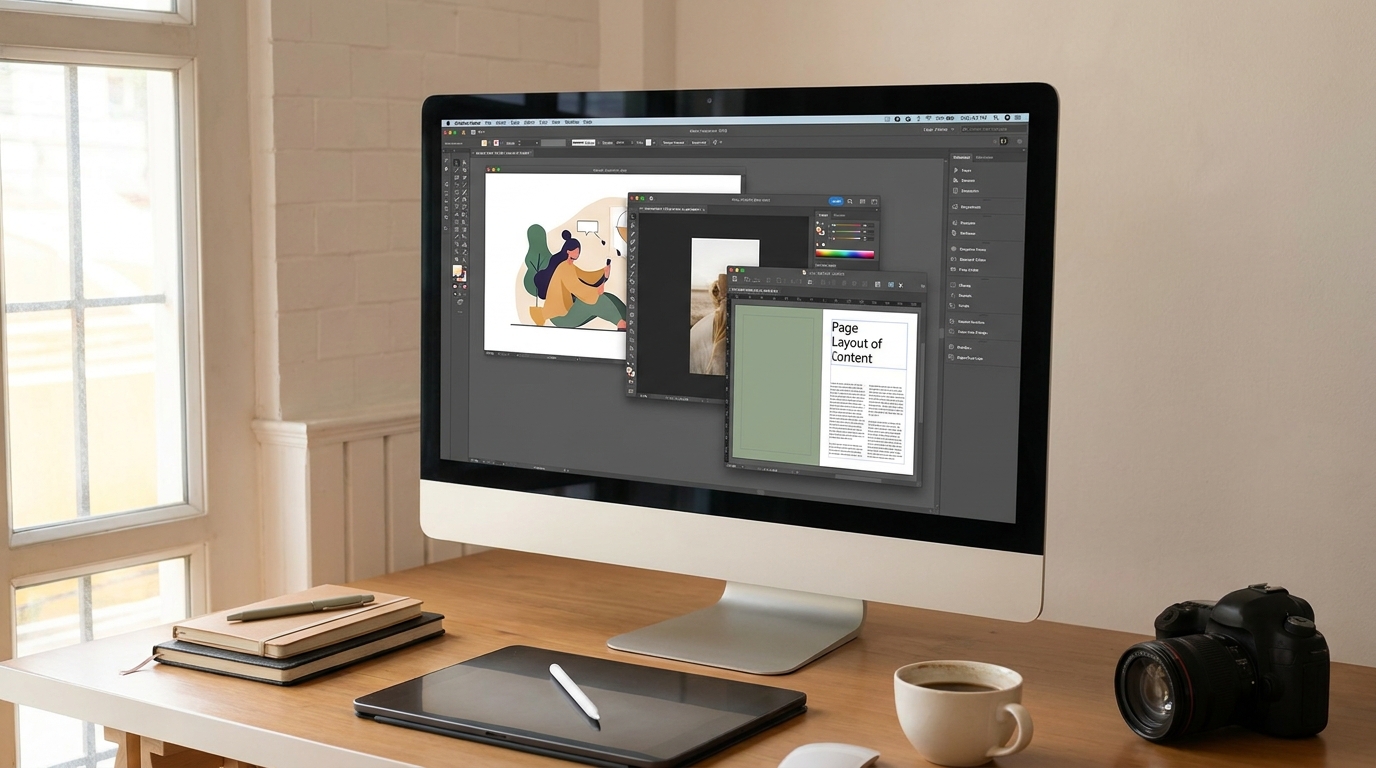
Affinity 3.3 consolidates three formerly separate applications—Affinity Photo, Affinity Designer, and Affinity Publisher—into a single, unified creative application for macOS and Windows. Rather than forcing designers to manage standalone programs for different disciplines, the update integrates photo editing, vector illustration, and page layout toolsets within a single document interface containing over 60 new features. Crucially, the entire core application remains completely free to download and use without requiring a recurring monthly software subscription.
The consolidated interface allows users to switch between Pixel, Vector, and Layout studios instantly inside an active project. In traditional workflows, multi-discipline assets—such as a promotional catalog requiring vector logos, complex photo retouching, and multi-page text formatting—require saving intermediate files, exporting flat raster layers, and repeatedly jumping between disparate programs. Affinity 3.3 keeps all live raster layers, vector paths, and master text frames inside a single native canvas.
This structural change delivers substantial time savings for solo creators and small design studios. By eliminating file conversions and round-trip asset updates, teams avoid layer flattening and broken asset links. A designer can refine a vector icon directly within a publication spread or apply non-destructive pixel adjustments to an embedded product photo without leaving the layout view.
2. Scripting Studio Workspace with Claude AI Integration
Affinity 3.3 introduces a dedicated Scripting Studio workspace designed to automate complex, multi-step production routines across Pixel, Vector, and Layout environments. The studio allows users to write and execute native JavaScript routines directly inside the software to handle high-volume formatting, batch processing, and asset generation. Unlike legacy design platforms that rely on external macro utilities or fragmented third-party plugins, this automation engine is built natively into the core application.
A standout capability within this workspace is its direct integration with Claude AI. This system allows creators to translate natural-language prompts into functional automation scripts. Instead of manually writing complex JavaScript code, users can input plain-text instructions to generate scripts that perform multi-step modifications across hundreds of layers or multi-page spreads simultaneously.
From an operational standpoint, this integration dramatically lowers the barrier to design automation. A creator handling an extensive e-commerce catalog or social campaign can instruct the studio to inspect all artboards, resize raster assets to predetermined channel dimensions, rename export slices based on layer metadata, and apply standardized typographic styling across text frames. Automating these repetitive mechanical tasks allows designers to focus their time on core creative decisions.
3. Native Adobe InDesign (INDD) Direct Import
One of the most consequential updates for production studios in Affinity 3.3 is the introduction of native Adobe InDesign (.INDD) direct file import. Users can now open proprietary InDesign documents straight into Affinity’s Layout studio without needing access to Adobe Creative Cloud or relying on intermediate file formats like IDML. The import engine preserves underlying typography rules, baseline grids, master pages, text styles, and linked graphic frames natively.
Historically, moving legacy design archives away from Adobe software was a major operational hurdle for design agencies and independent publishers. Converting multi-page annual reports, book layouts, or brand guidelines previously required manually exporting each document to IDML within InDesign or using lossy external conversion utilities that frequently broke text reflow, master page assignments, and style hierarchies.
Native INDD import eliminates that friction, offering a clear migration path for studios seeking to reduce software overhead. Small businesses and agencies spending significant annual budgets on Creative Cloud seats can transition active and archived document libraries directly into Affinity’s free software, lowering ongoing operational expenses without sacrificing access to legacy client deliverables.
4. Cavalry Motion Graphics and Canva Sheets Dynamic Pipeline
Cavalry, the procedural 2D motion graphics application in the ProSuite ecosystem, received an update featuring over 50 new tools. The release adds specialized procedural modifiers like Metaballs shapes, advanced rendering filters, and AI-assisted vector generation tools. While the core standalone Cavalry motion graphics application remains free, its dynamic integration with the broader Canva ecosystem establishes an automated production pipeline for animated media.
The system introduces a direct vector pipeline from Affinity straight into Cavalry, paired with bi-directional integration with Canva Sheets. Motion designers can build layered vector assets in Affinity, transfer them seamlessly into Cavalry for procedural animation rigging, and link visual attributes—such as text strings, color palettes, sizing parameters, and numerical values—directly to cells in a Canva spreadsheet.
This dynamic data pipeline transforms high-volume video production. Content creators and marketing teams can generate hundreds of localized social video variants, multilingual motion ads, or personalized campaign assets automatically. When spreadsheet values change, Cavalry renders updated animation batches without requiring manual keyframing or timeline adjustments for each individual variation.
5. Integrated AI Studio (Upscaling, SDR-to-HDR, and Auto-Matte)
The ProSuite rollout introduces an Integrated AI Studio embedded within the desktop workspace, drawing upon Leonardo.AI’s model infrastructure. Accessible through Canva Pro ($144 per year or $18 per month) and Canva Business ($250 per year) tiers, the studio provides specialized machine learning tools designed for precision post-production tasks. Core features include automated edge matting, neural resolution upscaling, and SDR-to-HDR tone mapping.
The automated matte generation tool calculates complex subject boundaries—such as fine hair, fur, transparent glass, and intricate foliage—producing clean alpha channels without manual rotoscoping or pen-tool masking. The SDR-to-HDR engine recalculates dynamic range in standard images, expanding shadow detail and reconstructing specular highlights for modern high-contrast digital displays.
This hybrid setup combines local desktop rendering speed with cloud-assisted neural processing. While the baseline Affinity photo manipulation engine handles standard local pixel adjustments with zero latency, the AI Studio offloads resource-heavy generative upscaling and boundary segmentation to cloud models. For commercial studios, this provides high-fidelity asset preparation while minimizing the hardware bottlenecks associated with running deep generative models locally.
6. Precision Vector Blend Tool and Deform Modifiers
Vector illustrators and brand identity designers gain two major workflow tools in Affinity 3.3: a dedicated Vector Blend Tool and non-destructive Deform Modifiers. The Blend Tool calculates smooth geometric transitions and color gradations between separate vector paths, enabling creators to generate complex morphs, intricate contouring, and stepped geometric patterns. This update addresses a long-standing feature request from technical illustrators transitioning from legacy vector software.
The update also integrates non-destructive Mask and Deform tools within the vector workspace, allowing artists to bend, warp, and perspective-transform vector groupings without flattening paths into raster pixels. Furthermore, Affinity 3.3 incorporates updated Curves functionality with specialized hue-preservation algorithms. This prevents the color shifting and muddy desaturation that often occur when interpolating gradients across extreme tonal values.
These capabilities significantly streamline brand design and packaging production. Designers can construct complex geometric line art, technical diagrams, dynamic packaging wraps, and dimensional typography with live vector math. Because paths and morph steps remain fully editable throughout the design lifecycle, making client revisions requires modifying key nodes rather than manually rebuilding entire vector sets.
7. Dedicated Astrophotography Studio and RAW Processing Engine
Affinity 3.3 substantially upgrades its RAW photo processing architecture and introduces a dedicated Astrophotography Studio workspace. Designed for demanding low-light and deep-sky imaging, this workspace natively handles star stacking, background light-pollution calibration, and multi-frame noise reduction without requiring specialized third-party processing utilities. Like the rest of the core Affinity toolset, these photo tools are provided at zero cost across macOS and Windows.
The processing engine incorporates refined Curves adjustments that preserve precise hue integrity across high-contrast exposure ranges. In deep-sky and extreme night photography, stretching dynamic ranges to pull detail from dark skies frequently introduces severe color banding and hue distortion. Affinity’s updated color science maintains true color values across highlights, midtones, and shadows during severe tonal adjustments.
While engineered for astronomical capture, these algorithms provide immediate practical utility for commercial, event, and architectural photographers working in low-light environments. Photographers can blend multiple high-ISO exposures to eliminate sensor noise, neutralize difficult mixed-temperature artificial lighting, and recover shadow details across challenging interior and twilight commercial shoots.
Canva ProSuite Feature Comparison
The following table outlines the key capabilities, pricing tiers, and ideal applications across the seven highlighted ProSuite tools:
| Feature / Tool | Primary Capability | Pricing Tier | Best Use Case |
|---|---|---|---|
| Unified Affinity 3.3 | Combined pixel, vector, and layout workspaces in one app | Free (macOS / Windows) | Multi-page publications, brand collateral, and complex print layouts |
| Scripting Studio & Claude AI | Plain-text prompt-to-JavaScript automation engine | Free baseline engine | Batch asset renaming, automated resizing, and repetitive design setups |
| Native INDD Import | Direct Adobe InDesign document import without IDML conversion | Free | Migrating legacy agency archives and switching from Adobe software |
| Cavalry & Sheets Pipeline | Procedural 2D animation driven by spreadsheet data | Free core tool (Cavalry) | High-volume personalized motion ads and localized social videos |
| Integrated AI Studio | Neural upscaling, auto-matting, and SDR-to-HDR tone expansion | Canva Pro ($144/yr) / Business ($250/yr) | High-precision image post-production and rapid background removal |
| Vector Blend & Deform | Live path morphing, non-destructive warps, hue-stable curves | Free | Packaging design, complex iconography, and geometric brand assets |
| Astrophotography & RAW | Multi-frame RAW stacking and low-light noise neutralization | Free | Night architectural photography, event coverage, and deep-sky imaging |
Operational Verdict: Trade-Offs and Adoption Advice
Canva ProSuite delivers a highly capable, cost-effective alternative to traditional design software ecosystems. Small design agencies, marketing teams, and solo creators will find immediate value in the completely free Affinity 3.3 and Cavalry core applications, which eliminate software seat licensing fees while providing professional-tier layout, vector, and motion capabilities. The addition of native INDD import significantly lowers switching barriers for established studios holding deep Adobe document archives.
However, teams should weigh specific operational trade-offs. Cavalry’s procedural animation pipeline carries a noticeable learning curve for animators accustomed to traditional timeline-based keyframing. Additionally, while core graphic and publishing workflows remain free, organizations requiring enterprise-wide team collaboration and Leonardo.AI-powered generative tools must maintain Canva Pro or Business subscriptions. For studios that prioritize local desktop precision without mandatory recurring fees, ProSuite presents an exceptionally balanced production platform.
Conclusion
The launch of Canva ProSuite bridges the gap between accessible, web-based collaborative design and rigorous, high-precision desktop publishing. By consolidating Affinity, Cavalry, Flourish, and Leonardo.AI into an interoperable ecosystem, Canva offers advanced design tools that address real-world production bottlenecks. Providing full-featured, free desktop software alongside targeted, paid AI automation gives small businesses, digital publishers, and creative agencies a flexible, scalable platform to streamline their visual workflows.